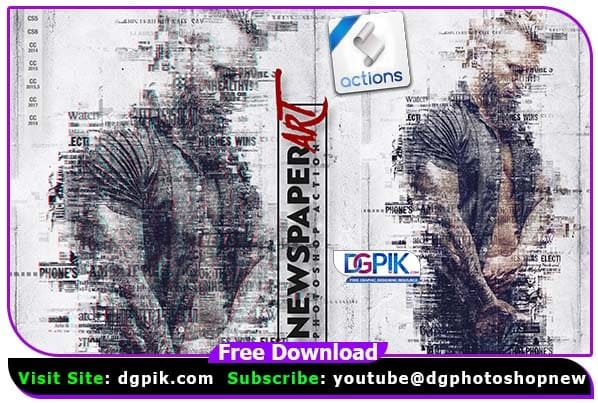
Newspaper Art Effect Photoshop Action Free Download is a set of tools that can be used to create an artistic newspaper effect in your photos. It includes a variety of filters and effects that can be customized to achieve the desired look. With just a few clicks, you can transform your photos into unique works of art. If you want you can also Download. Photoshop Action
PREPARATION, IMPORTANT
Please check and make it sure before you use the action
1. You are running the English version of Photoshop. If you are not using the English version of Photoshop, you can always change it to English and then back again to your native language using this step below.
Tutorial video: https://www.youtube.com/watch?v=GJAiu5W2gLE
2. Your photo is must be in RGB color mode and 8bit color mode to check and set RGB Color and 8bit color go to menu “Image -> Mode -> RGB color” “Image -> Mode -> 8 Bits/Channel”
3. Make sure that the image’s layer is locked and it’s set as ‘Background’. to set a layer as Background go to menu “Layers -> New -> Background from Layer”
4. Click on menu icon at the right on “Layers box” panel and go to “Panel Option”, and then check the “Add “copy” to Copied Layers and Groups”
5. Avoid using small or too large image resolution. For the best results, use Photos between 2000px – 3000px and use 72-300 dpi (make sure no less or more width and height!).
you can see how to do the preparation on the video: #1 – Preparation If you want you can also Download. Photoshop Effect
We have shown you the Preview image below, in which you can see how Amazing All its Effects are.

Download the File Easily From the Download Link Given Below
Password is : dgpik.com

How to Load Photoshop Action
HOW TO USE THE ACTION
Please follow the instruction
1. Load Pattern
Video: #3a or #3b – Load Pattern To Photoshop
2. Load Action
go to: “Window -> Actions”, click on menu icon at the right and choose in the list “Load Actions” then find the action on your computer and click “Load”.
Video: #4 – Load Action To Photoshop
3. Open Image, Making Brush Layer & Play Action Create a new layer and name it “aj” (must be lowercase). Brush on this layer the area that you need to focus (you can use any colors).Load the action on the action list then open it and click play.
Video: #5 – Open Image – Making Brush Layer – Play Action
4. Wait a few seconds until the program finishes work (speed of action work depends of the power of your computer).
5. And then you can make design adjustments in the “Layer box” (if you need).
6. After all the process is completed, and the image you feel ready, please save your design.