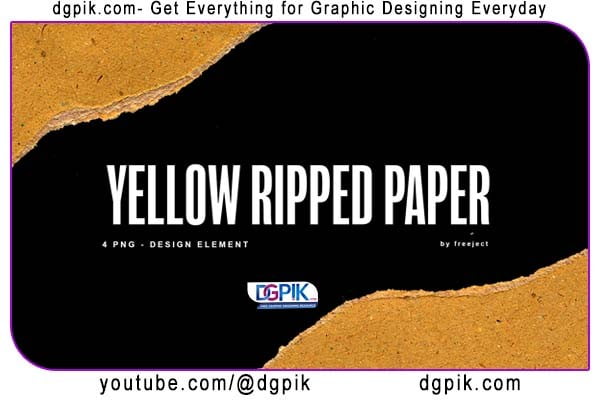
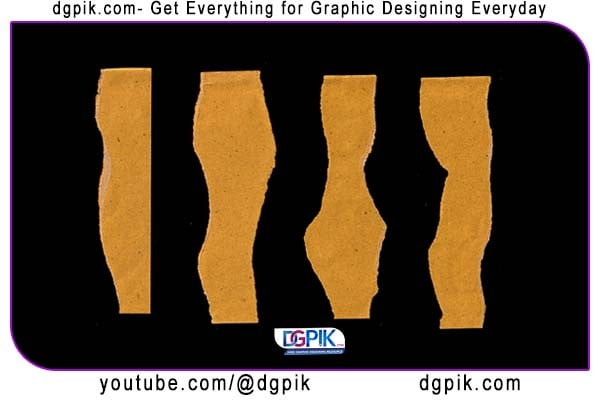
4x Yellow Paper Design Element for PNG Free Download We present a design element that is very popular especially on this website. is a png format torn paper for design element. You can use this paper tear design element for various design needs. such as print designs, Banners, posters, and many more. we updated this ripped paper from the old version, there is a ripped paper with a clear paper texture, and we color it with a yellow theme that you can still change as you want. download this torn paper for free in the link description bellow. You Can Also Download 1000+ Liquid Elements Pack for After Effects
 Download the File Easily From the Download Link Given Below
Password is: dgpik.com
DOWNLOAD NOW4x Yellow Paper Design Element for PNGHow to Use Banners
- Determine your purpose: Identify the goal of your banner. Is it for advertising, promoting an event, conveying a message, or enhancing brand visibility? Clarifying the purpose will help you create an effective design.
- Choose the right size: Determine the dimensions of your banner based on its placement. Whether it’s for print or digital platforms, consider the required dimensions to ensure it fits well and looks visually appealing.
- Craft an eye-catching design: Use bold colors, attractive visuals, and clear typography to grab attention. Incorporate your branding elements like logos, taglines, and relevant imagery. Keep the message concise and legible, ensuring it can be easily read from a distance.
- Include essential information: Clearly communicate the key information on your banner, such as event details, contact information, dates, and location. Use hierarchy in design to emphasize crucial elements.
- Ensure readability: Maintain a good balance between visuals and text. Use fonts that are easily legible from a distance and ensure adequate contrast between text and background. Avoid overcrowding the banner with excessive information.
- Consider the placement: If using digital banners, choose the appropriate platforms or websites where your target audience is likely to see them. For physical banners, select strategic locations where they will receive maximum visibility.
- Test and proofread: Before finalizing the design, review it carefully for any errors, typos, or design inconsistencies. Ensure that all elements are aligned properly and appear as intended.
- Print or publish: If it’s a physical banner, send the final design to a professional printing service, ensuring the appropriate size, material, and finishing options are selected. For digital banners, upload them to the chosen platforms or websites.
- Monitor and evaluate: Track the performance of your banners, whether it’s through analytics for digital banners or observing customer response for physical ones. Assess their effectiveness and make improvements for future campaigns.
By following these steps, you can effectively use banners to attract attention, convey your message, and achieve your desired goals.