
5 Male T-Shirt Psd Mockup Free Download In this section, you can see 5 mockups of men’s t-shirts, which are available for download in PSD and JPG formats. Using this mockup, you can put different designs and patterns on the men’s t-shirt and check the final look and style. This Mockup allows you to test your designs before production and printing on real t-shirts and ensure a suitable and attractive design for your men’s t-shirt. You Can Also Download Small Earing Bag Psd Mockup

Download the File Easily From the Download Link Given Below
Password is: dgpik.com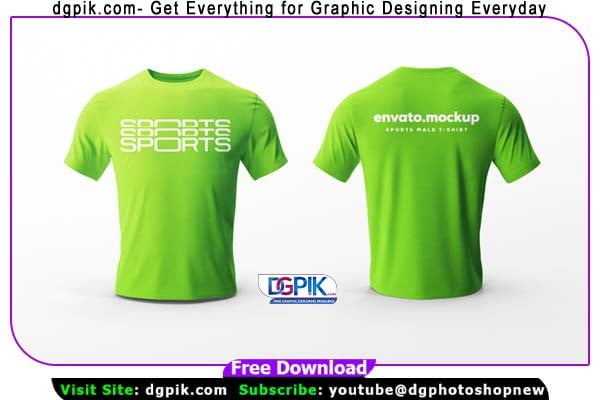
 DOWNLOAD NOW5 In 1 Male T-Shirt Psd Mockup (02)
 DOWNLOAD NOW5 In 1 Male T-Shirt Psd Mockup (03)
 DOWNLOAD NOW5 In 1 Male T-Shirt Psd Mockup (04)
 DOWNLOAD NOW5 In 1 Male T-Shirt Psd Mockup (05)
How to Use Psd Mockup
To use a PSD Mockup, follow these steps:
- Obtain the PSD Mockup: Download the PSD mockup file from a reliable source or create one yourself using design software like Adobe Photoshop or Sketch.
- Extract the ZIP File: If the mockup is compressed in a ZIP file, extract the contents to a folder on your computer.
- Open the PSD File: Launch Adobe Photoshop or any other compatible design software. Go to “File” and select “Open” to browse for the PSD mockup file you downloaded. Locate the file and open it.
- Customize the Design: The PSD mockup file will contain multiple layers, each representing different elements of the design. You can modify these layers to personalize the mockup according to your needs. For example, you can replace the placeholder image with your own image, change the text, adjust colors, or add additional design elements.
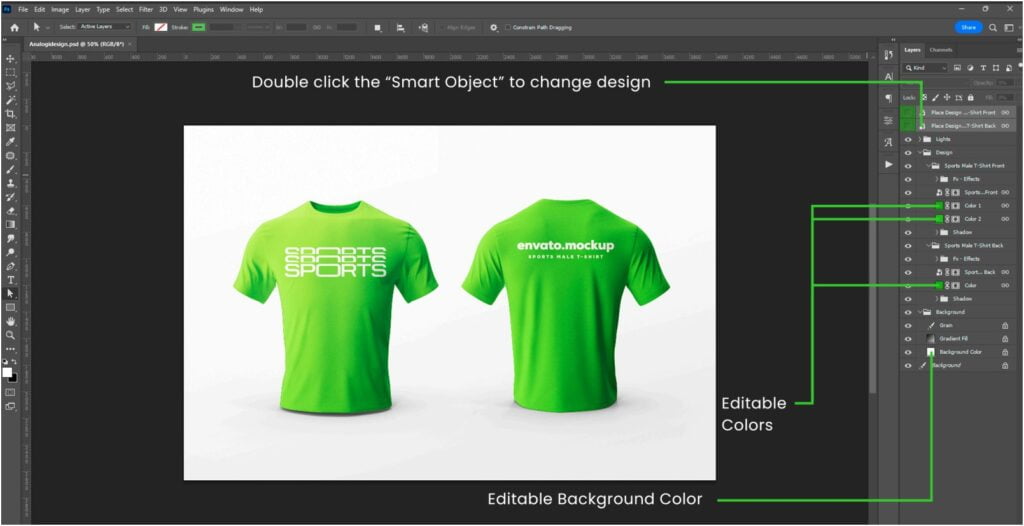
- Work with Smart Objects: Many PSD mockups utilize Smart Objects, which allow you to easily replace the content while preserving the perspective and effects of the original design. To edit a Smart Object, double-click on its layer thumbnail, which will open a new tab containing the editable content. Make the necessary changes to the content, save the file, and close the tab. The main mockup file will automatically update with your changes.
- Adjust the Placement: If the mockup involves positioning elements within a scene, you can use transformation tools like Move, Scale, and Rotate to adjust the placement of the design elements. This helps align your content with the perspective and composition of the mockup.
- Customize Colors and Effects: If desired, you can further customize the colors and effects applied to the mockup. This may include adjusting the background color, applying filters, adding shadows, or modifying blending options.
- Save and Export: Once you are satisfied with your modifications, save the final design as a PSD file to preserve the layers and editable elements. If you need to share or use the mockup in a non-editable format, such as JPEG or PNG, go to “File” and select “Save As” or “Export” to save the file in the desired format.
Remember to always check the licensing terms of the PSD mockup to ensure that you are using it within the allowed scope (e.g., personal or commercial use) and giving proper attribution, if required.







