
Hand Drawn Medical Tools in Vector Free Download This sets contain hand drawn medical tools elements .Vector File Can be used to various project , logo designs and graphic elements. Easy to recolor and editable. You Can Also Download Hand Holding Psd Mug Mockup
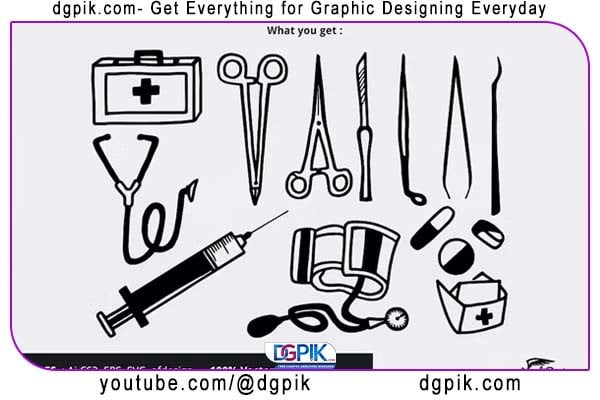
What you get
1. Hand drawn medical tools vector files in Ai CS2 , EPS , afdesign and SVG Inkscape compatible.
2. Information.txt files.
You can edit the files using compatible vector editor like Inkscape, Adobe Illustrator or Affinity Designer, etc.
Download the File Easily From the Download Link Given Below
Password is: dgpik.com
DOWNLOAD NOWHand Drawn Medical Tools in VectorHow to use Vector File
Vector files are digital graphics that are created using mathematical formulas, allowing them to be scaled infinitely without losing quality. They are widely used in graphic design, illustration, and other creative fields. The most common vector file formats include SVG (Scalable Vector Graphics), AI (Adobe Illustrator), EPS (Encapsulated PostScript), and PDF (Portable Document Format). Here’s how you can use vector files:
- Opening and Editing:
- Software: You’ll need specialized vector editing software to open and edit vector files. Adobe Illustrator is the most popular tool, but there are alternatives like Inkscape (free and open-source) and CorelDRAW.
- Open the software and go to “File” > “Open” to select the vector file from your computer.
- Once opened, you can edit, modify, and customize the elements of the vector artwork, such as shapes, colors, and text.
- Resizing and Scaling:
- The major advantage of vector files is that they can be resized without any loss of quality. This is crucial for projects like logos, icons, or any artwork that might need to be used at different sizes.
- Exporting and Saving:
- After editing, you can save the vector file in its native format (e.g., AI or SVG) for future editing.
- For exporting to other formats (e.g., for web or printing), go to “File” > “Export” or “Save As” and choose the desired format (e.g., PNG, JPEG, PDF) while specifying any additional settings.
- Web Use:
- SVG files are especially well-suited for web use. They can be embedded directly into HTML and offer scalability and small file sizes.
- For logos and icons on websites, using SVG format ensures they look crisp on any screen.
- Printing:
- Vector files are essential for high-quality printing. If you’re working on designs for business cards, brochures, banners, or any other printed material, using vector files (AI, EPS, PDF) ensures sharp and clear output.
- Collaboration:
- Vector files are widely used for collaboration between designers and clients or team members. They provide easy sharing, editing, and version control.
- Convert to Raster (Pixel) Formats:
- Sometimes, you might need raster images (e.g., JPEG, PNG) for certain applications. When converting vector files to raster, ensure you use a high resolution to maintain quality.
Remember, vector files are not suitable for complex photo editing or manipulation, as they are better suited for creating and editing simple to moderately complex graphics and illustrations. For photo editing, raster image formats like JPEG and PNG are more appropriate.







