This collection includes 10 romantic 12×36 couple wedding album DM PSD designs for wedding photographers, album designers, Photoshop editors and photo studio owners. These PSD templates are useful for creating couple-focused wedding album pages, romantic bride and groom layouts, DM-style album designs and client photo studio projects in Adobe Photoshop.
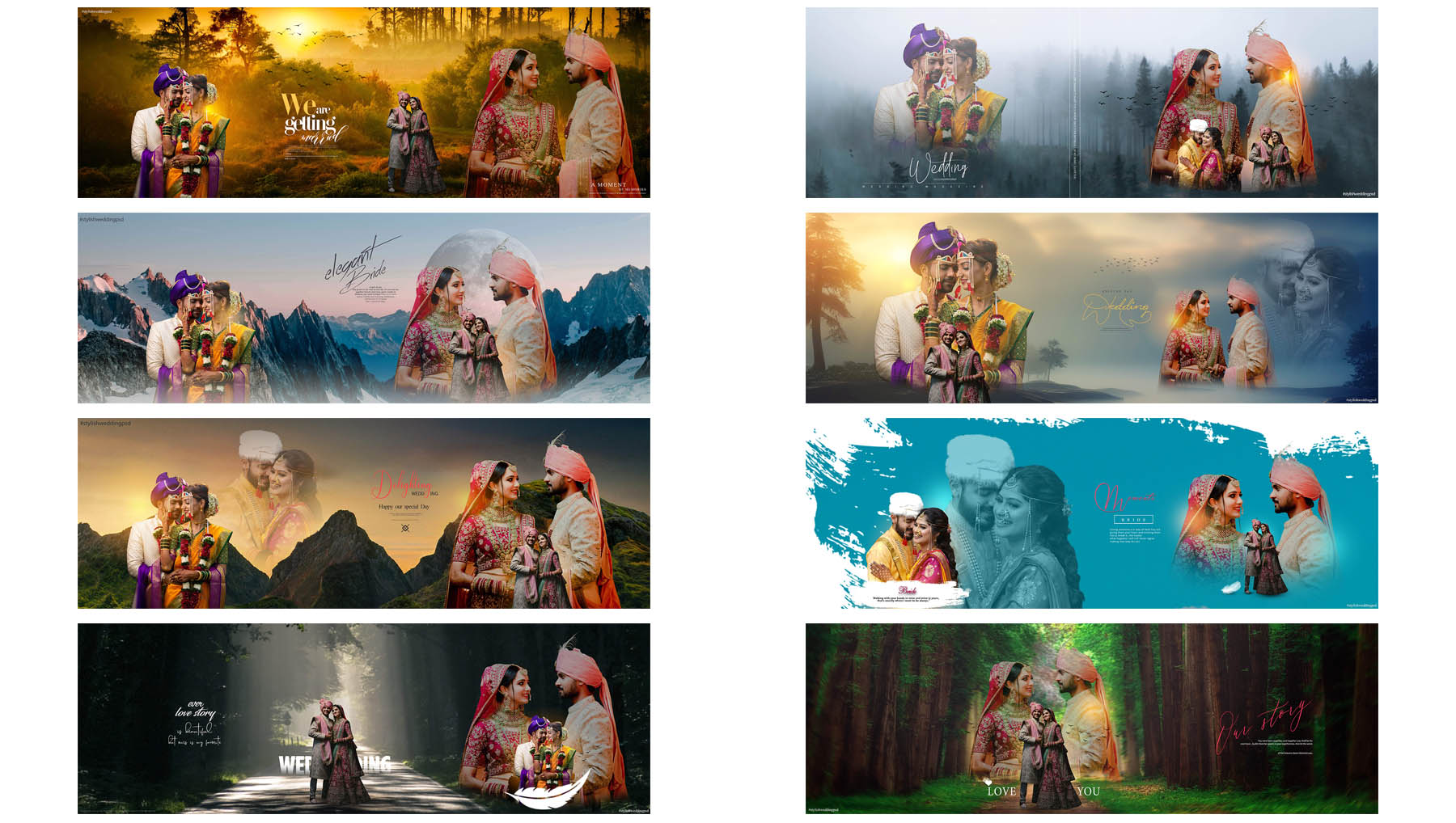
The pack includes 10 editable PSD files in 12×36 size with no password. Users can open the selected PSD file in Adobe Photoshop, replace the preview photographs with their own couple or wedding photos and export the final design for personal, studio or client album work.
What Is Included in This Couple Wedding Album DM PSD Collection?
This couple wedding album DM PSD collection includes 10 ready-made 12×36 designs for romantic wedding album pages. The templates are made for Photoshop users who need editable layouts for bride and groom photos, couple portraits, pre-wedding images and client wedding album projects.
Couple album pages are important because they show the emotional connection between the bride and groom. These PSD layouts give editors a prepared design base for arranging couple photos, close portraits and selected wedding moments in a wide 12×36 album format.
Preview all 10 designs below and use the numbered download button under each preview to download the exact PSD file you need.
Verified Technical Information
| Detail | Information |
|---|---|
| Product Type | Couple Wedding Album DM PSD Pack |
| Total Files | 10 PSD Files |
| Canvas Size | 12×36 Wedding Album DM Design |
| File Type | PSD |
| Password Status | No Password |
| Photoshop Compatibility | Created and checked for Photoshop 7.0 and newer Photoshop versions including CC 2021, CC 2022, CC 2023, CC 2024, CC 2025 and latest versions |
| Photographs Included | AI-generated demonstration images only; preview photographs are not included in the PSD files |
| Fonts Included | Free fonts used; font files are not included |
| Best For | Couple wedding album design, bride groom layouts, romantic wedding pages, DM-style album pages and photo studio work |
Created and Tested by DGPik
All 10 couple wedding album DM PSD layouts in this collection were created and tested by Dilawar at DGPik. Each file was checked for 12×36 album use, Photoshop editing and practical photo placement before publication.
The photographs shown in the preview layouts are AI-generated demonstration images created for DGPik. These photographs are not included in the downloadable PSD files. Users can replace them with their own couple, wedding or client photographs while editing the designs.
Usage License
You may edit these PSD designs and use the completed couple wedding album pages for personal work and client wedding album projects. You may not resell, re-upload, redistribute, share or package the original PSD files as your own free or premium collection.
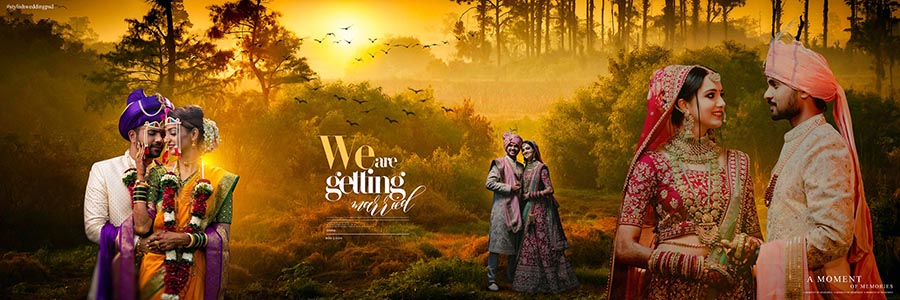
PSD 01 – Romantic Couple Wedding Album DM Design
This romantic DM PSD layout is suitable for placing bride and groom portraits in a wide 12×36 album design. It gives editors a ready base for creating emotional couple-focused wedding album pages.
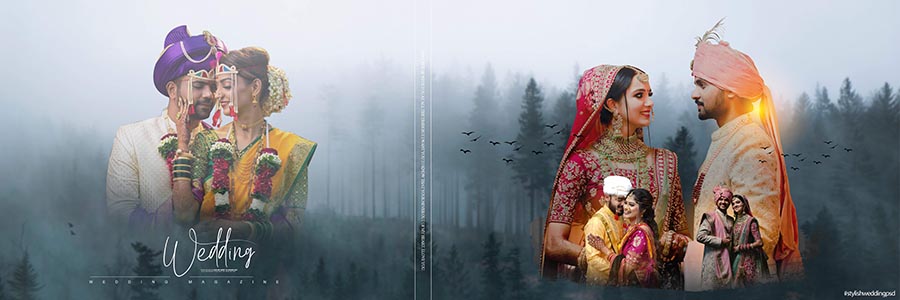
PSD 02 – Bride and Groom Couple Album Layout
This design is useful for couple wedding photos where the main focus is on bride and groom portraits. Editors can replace the preview areas with client images and prepare a clean romantic album layout.
PSD 03 – Couple Portrait DM Album Page
This PSD can be used for couple portraits, close wedding photos and romantic album storytelling. It helps Photoshop users arrange selected couple images in a 12×36 DM-style album page.
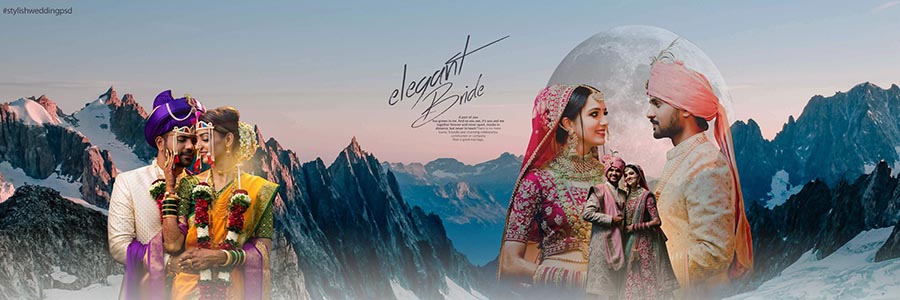
PSD 04 – Creative Couple Wedding DM Spread
This creative couple DM spread is useful for combining bride and groom portraits with selected wedding moments. Designers can use it as a ready layout for preparing romantic pages with less editing time.

PSD 05 – Romantic Bride Groom Album Design
This bride and groom focused PSD layout can be used for highlighting the main couple photo with supporting images. It is helpful for photographers and editors who want a romantic page in the album.

PSD 06 – Couple Wedding Story DM PSD
This couple story PSD design gives users a prepared Photoshop layout for wedding album editing. It can be customized with couple portraits, wedding details and client images for a complete album page.
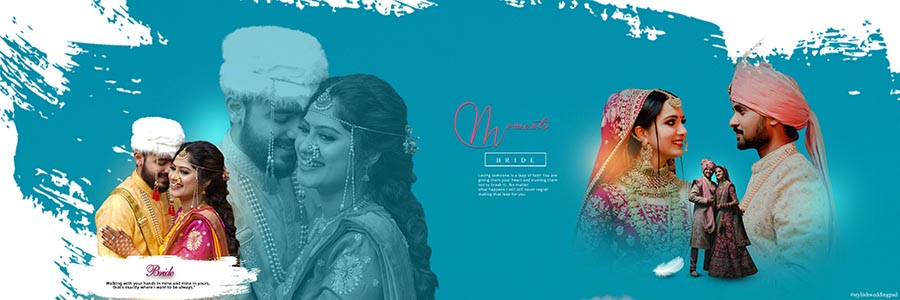
PSD 07 – Romantic Album Page for Couple Photos
This layout is useful for showing a couple photo story through multiple images in one 12×36 spread. Editors can use it for bride and groom portraits, pre-wedding memories and selected wedding moments.
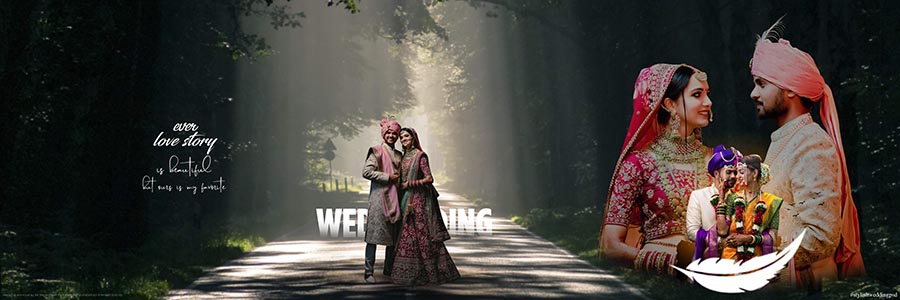
PSD 08 – Photo Studio Couple DM PSD Design
This PSD is helpful for photo studios that regularly prepare couple wedding album pages for clients. The ready-made structure helps editors place bride and groom photos and complete the layout quickly.
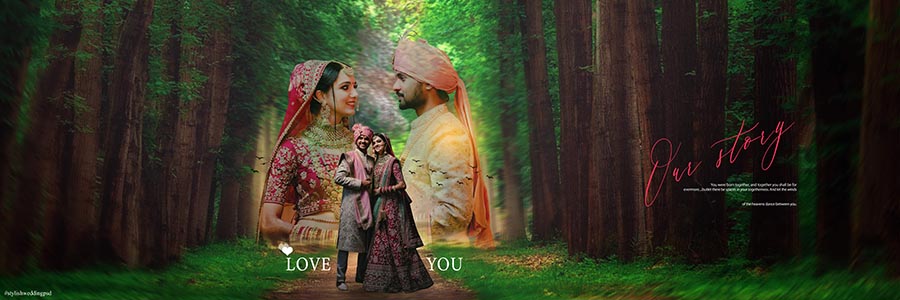
PSD 09 – Latest Couple Wedding DM Design
This couple wedding DM layout is useful for album projects where editors need a romantic PSD page for bride and groom photos. It can be edited with client photographs and exported for album work.
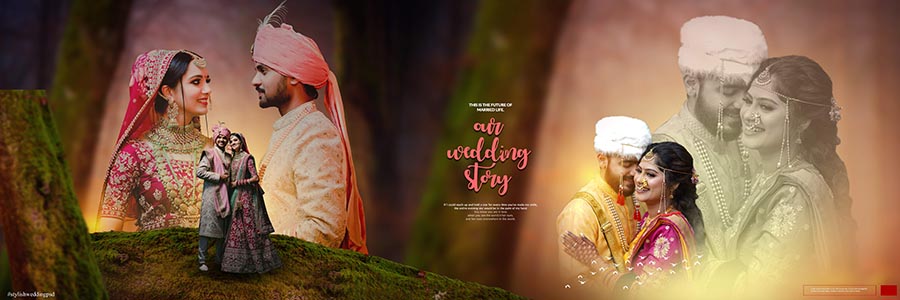
PSD 10 – Romantic 12×36 Couple Album PSD
This final PSD completes the 10-design couple wedding album DM collection. It can be used for bride and groom portraits, romantic photos and wedding album storytelling after replacing the preview images.
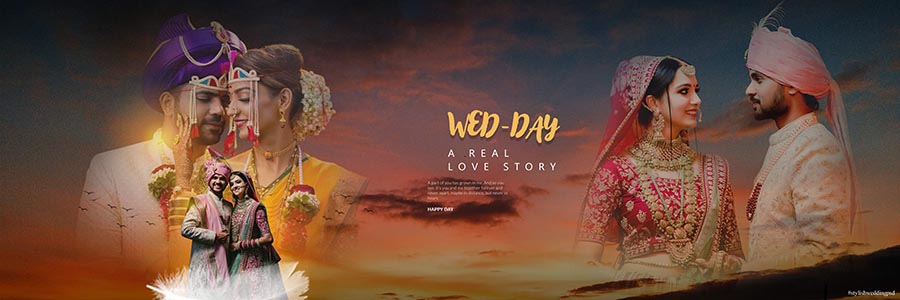
How to Edit These Couple Wedding Album DM PSD Files in Photoshop
After downloading any PSD file, open it in Adobe Photoshop and check the layer panel before editing. Replace the demonstration images with your own high-quality couple or wedding photos and review the complete 12×36 design before export.
- Download the selected PSD file using the numbered button below the preview.
- If the file is compressed, extract it using WinRAR or another trusted extraction tool.
- Open the PSD file in Adobe Photoshop.
- Find the photo areas in the layout and replace the preview images with your own couple or wedding photographs.
- Edit names, dates or text only where editable text layers are available.
- If Photoshop shows a missing font warning, download and install the required free font from a trusted source.
- Check face placement, couple pose, photo quality and album margins before saving.
- Export the completed album page as JPG or another format required by your printing workflow.
Frequently Asked Questions
How many PSD files are included in this couple wedding album pack?
This couple wedding album DM PSD pack includes 10 editable PSD files in 12×36 size.
Do these PSD files have a password?
No. This 12×36 couple wedding album PSD collection is provided without a password.
Can I use these couple PSD designs for client wedding albums?
Yes. You can edit the PSD designs and use the completed couple album pages for personal and client wedding album projects. The original PSD files cannot be resold, shared or redistributed.
Are sample photos included in the download?
No. The preview photographs are AI-generated demonstration images created for DGPik preview use. They are not included in the PSD files, so users need to add their own couple or wedding photos.
Are fonts included with these PSD files?
No. Free fonts are used in the designs, but font files are not included in the download package. If a missing font warning appears, users can download the required free font from the internet.
Which software is required to edit these files?
Adobe Photoshop is required to open and edit these PSD files properly.
Conclusion
This 10 Romantic 12×36 Couple Wedding Album DM PSD Designs collection is helpful for designers who need editable couple-focused album pages for wedding projects. The pack gives Photoshop users ready-made 12×36 layouts that can be customized with their own bride and groom photos.
Download the PSD design you need, replace the preview photographs with your own images and export the final couple wedding album page according to your studio or printing workflow.
About the Creator
Dilawar is the founder of DGPik and a graphic designer, photographer and wedding album editor. He creates and tests Photoshop resources for wedding photographers, album designers and photo studios.
Azan supports content writing and publishing at DGPik. Posts prepared by Azan are reviewed by Dilawar before publication.