
This Creative Scribble Effect Photoshop Action Free Download are perfect for photographers and designers. It’s enhancing and adds more beautiful to images. It will help you to stunning your images to make unique and awesome looks. You Can Also Download Portrait Line Sketch Effect Photoshop Action
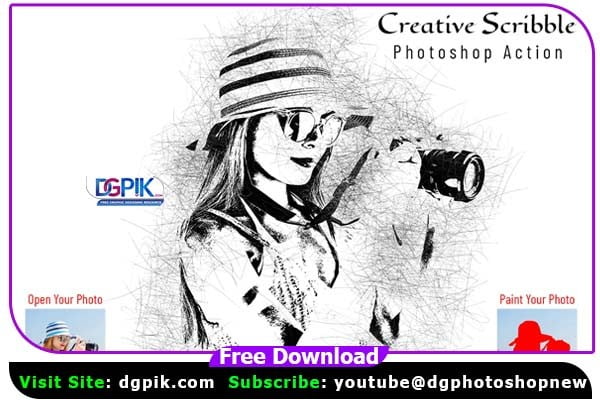
This action has been tested and working on Photoshop CC2020 English Version. Software supported version: CS5,CS5.5,CS6,CC,CC2014,CC2015,CC2015.5,CC2016, CC2017,CC2018,CC2019,CC2020+ English Version. You Can Also Download Pets Oil Sketch Effect Photoshop Action
Most important instruction:
(1) First open an image in Photoshop. Expand the space around your photo for best results. Select your Background image and take crop tool from tools bar then expand all side. Now you need resize your image. For resize image select crop tools and go top menu bar you see W x H x Reso three blank boxes. Write W 3000px, H 2000px, Resolution 72. Then press enter button.
(2) Open your photo Create a new layer then rename “paint” (in lowercase). Then select a brush and paint your image. Close “paint” layer eye and keep selection “paint” layer Then click action play button.
File Includes:
- ATN Files include (Photoshop Action File)
- Brush File
- 4 Effect look
- 10 Color Option
- Masking option
- Work on every photo
- High quality result
- Easy Customizable
- Organize layers
- Easy Install
- User Guide
- Easy to Use
- No photoshop skill needed
- 24 hrs support
Download the File Easily From the Download Link Given Below
Password is: dgpik.com
How to Load Photoshop Action
Loading Photoshop actions is a straightforward process. Here’s a step-by-step guide to help you load actions in Adobe Photoshop:
- Download the Action Set: Search for and download the Photoshop Action set (with a .atn file extension) that you want to use. Ensure that the file is saved on your computer in a location where you can easily find it.
- Launch Adobe Photoshop: Open Adobe Photoshop on your computer. Make sure you have the latest version installed for the best compatibility.
- Open the Actions Panel: Go to the “Window” menu at the top of the screen and select “Actions” from the drop-down list. This action will open the Actions panel.
- Load Actions: In the Actions panel, click on the menu icon (three horizontal lines) located on the top-right corner. From the menu that appears, select “Load Actions.”
- Locate the Action Set: A file browser window will open. Navigate to the location where you saved the downloaded .atn file. Select the file and click “Load.”
- View Loaded Actions: After loading the action set, you will see the actions listed in the Actions panel. You can expand the set by clicking on the arrow icon beside the action set name.
- Apply Actions: To apply an action to an image, open the image you want to edit in Photoshop. Select the action you want to use from the Actions panel.
- Run the Action: To run the action, click on the play button at the bottom of the Actions panel (a right-pointing triangle). Photoshop will start executing the steps recorded in the action, applying the desired effect or adjustment to your image.
By following these steps, you can easily load and use Photoshop actions to automate tasks, apply effects, or make adjustments to your images.







