
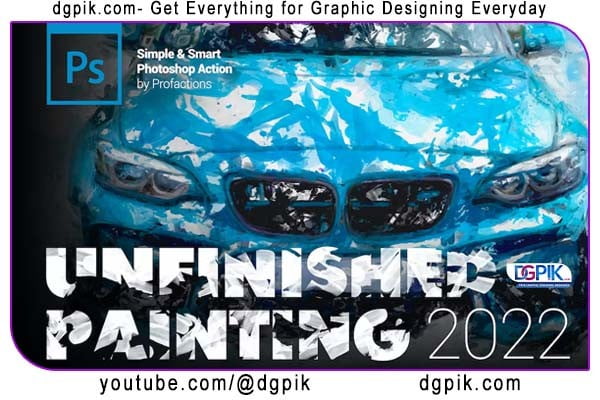
Unfinished Painting Effect Photoshop Action Free Download by dgpik turns your photo into amazing sketch painting digital art in one click. Photoshop’s fast and smart painting effect creates a highly detailed result with many possibilities for enhancement and customization. Very easy to install and use even for Photoshop beginners. You Can Also Download Light painting Effect Photoshop Action
Characteristics
- Works well with any Photoshop language
- Simple and smart unique algorithm
- Easy to install and use with one click
- Fully editable and well organized result
- color presets and adjustments
- Great possibilities to improve and customize
- User guide file with instructions
- For professionals and beginners
Compatibilities
The action has been tested and works fine in Photoshop CC2015.5, CC2017, CC2018, CC2019, CC2020, CC2021, CC2022+ and newer.
Recommendations
- The image file format must be JPEG (if not, convert to jpeg first)
- Image size should be 2500—3500px (3000px recommended)
- Image resolution should be 240 to 300 dpi (300 pdi recommended)
- Image color mode must be RGB and 8 bits/channel
Download the File Easily From the Download Link Given Below
Password is: dgpik.com
How to Load Photoshop Action
Please Check Before Play The Action
. Image file format must be JPEG (if not, first convert to jpeg)
. Image size must be 2500–3500px (recommended 3000px)
. Image resolution must be 240-300dpi (recommended 300pdi)
. Image color mode must be RGB and 8 Bits/Channel
. Image layer must be locked and set as the Background
. Photoshop brushes opacity and flow must be 100%
. Photoshop must be only English version
. Photoshop version must be CC2015.5+ and newer
How to use the Action
. Install the Action, Brushes and Patterns (see instructions below) and open your photo in Adobe Photoshop.
. Leave the photo layer locked and set as the “Background”. Please note: to set your photo as the Background, go to Layer > New > Layer from Background…
. Create a new layer above the photo and name it “profactions”. Please note: all letters must be all lowercase!
. Select the Brush tool (B) and choose any color soft brush. Please note: Opacity and Flow from the top tool bar must be 100%.
. With “profactions” layer selected, brush onto the areas of your photo that you want to apply the effect to.
. Choose the Action on Actions panel and click Play. Let the action play out and customize or improve the result if necessary
How to install the Action
- Open Adobe Photoshop, go to Window > Actions and bring up Actions panel.
- Choose Load Actions from the dropdown menu in the top right corner.
- Locate the Action from the right folder and hit Load button.
How to install the Brushes
- Select Brush tool (B) and open up Brush preset picker from the top tool bar.
- Choose Load (Import) Brushes from the dropdown menu in the top right corner.
- Locate the Brushes from the right folder and hit Load button.
How to install the Patterns
- Select Paint Bucket Tool (G) and set Fill Source from the top tool bar to Pattern.
- Open up Pattern picker and choose Load Patterns from the dropdown menu.
- Locate the Patterns from the right folder and hit Load button.
Recommended:
Get Social Media networking assistance by visiting SOCIAL MEDIA







