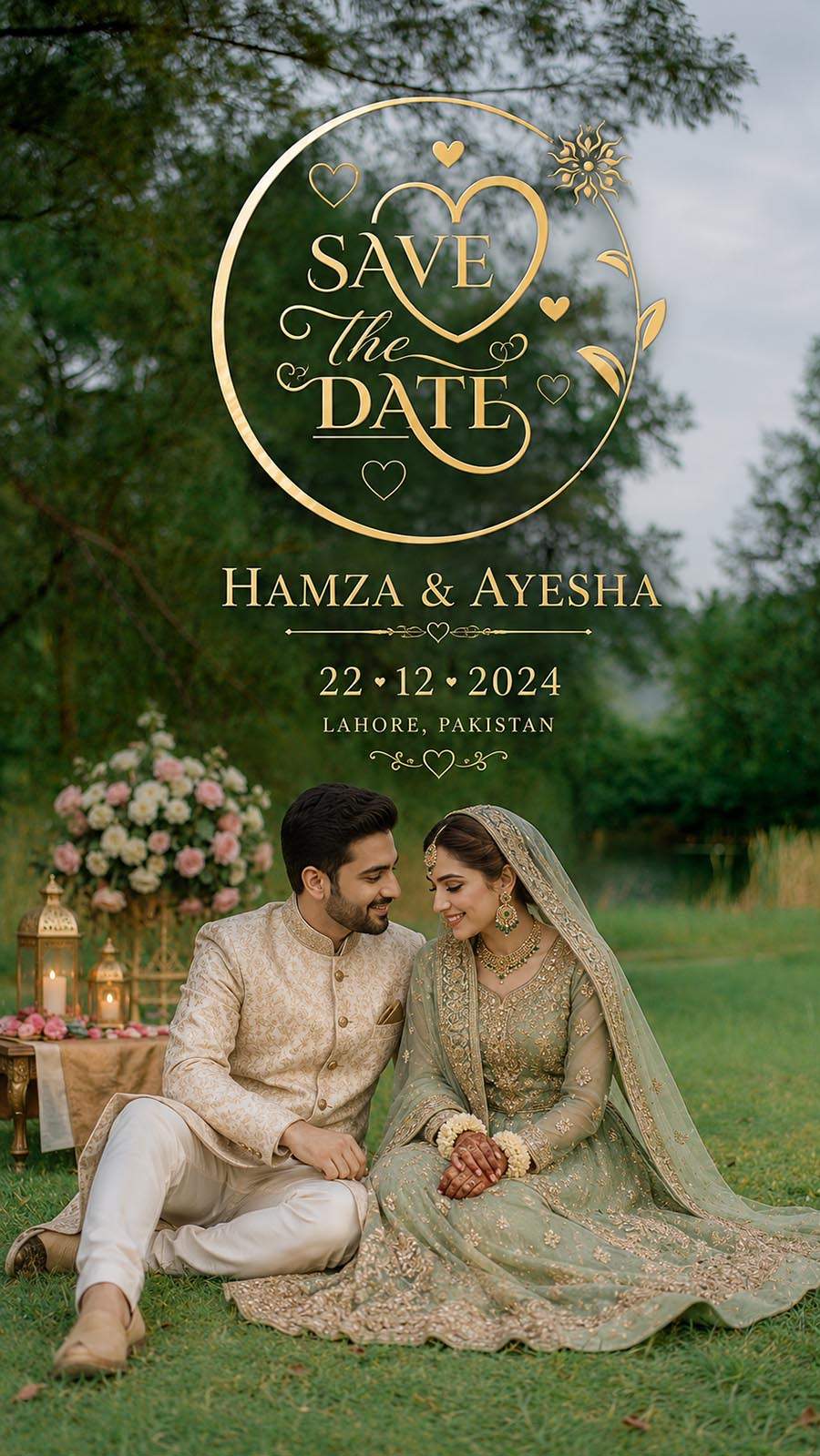
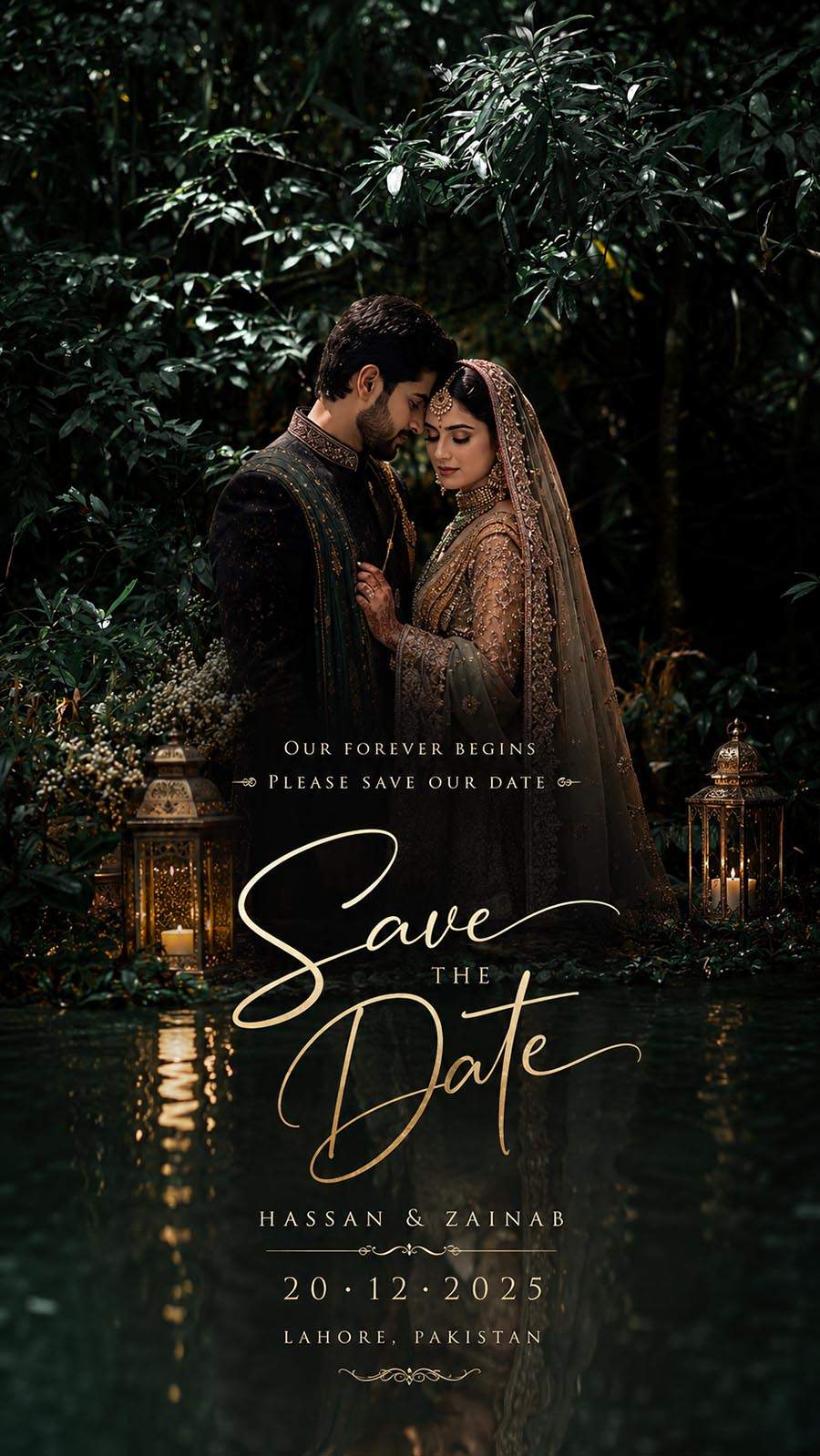
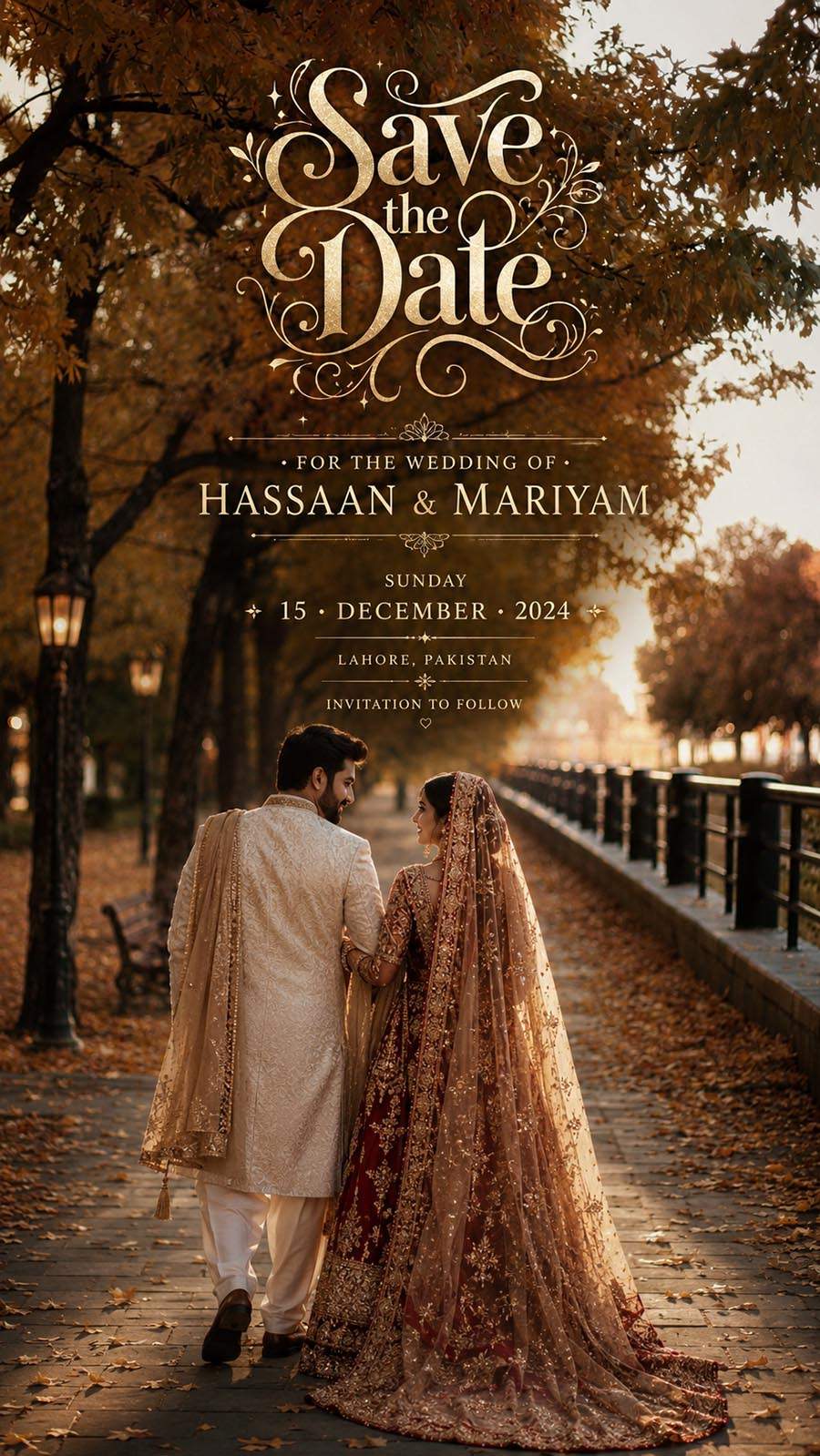
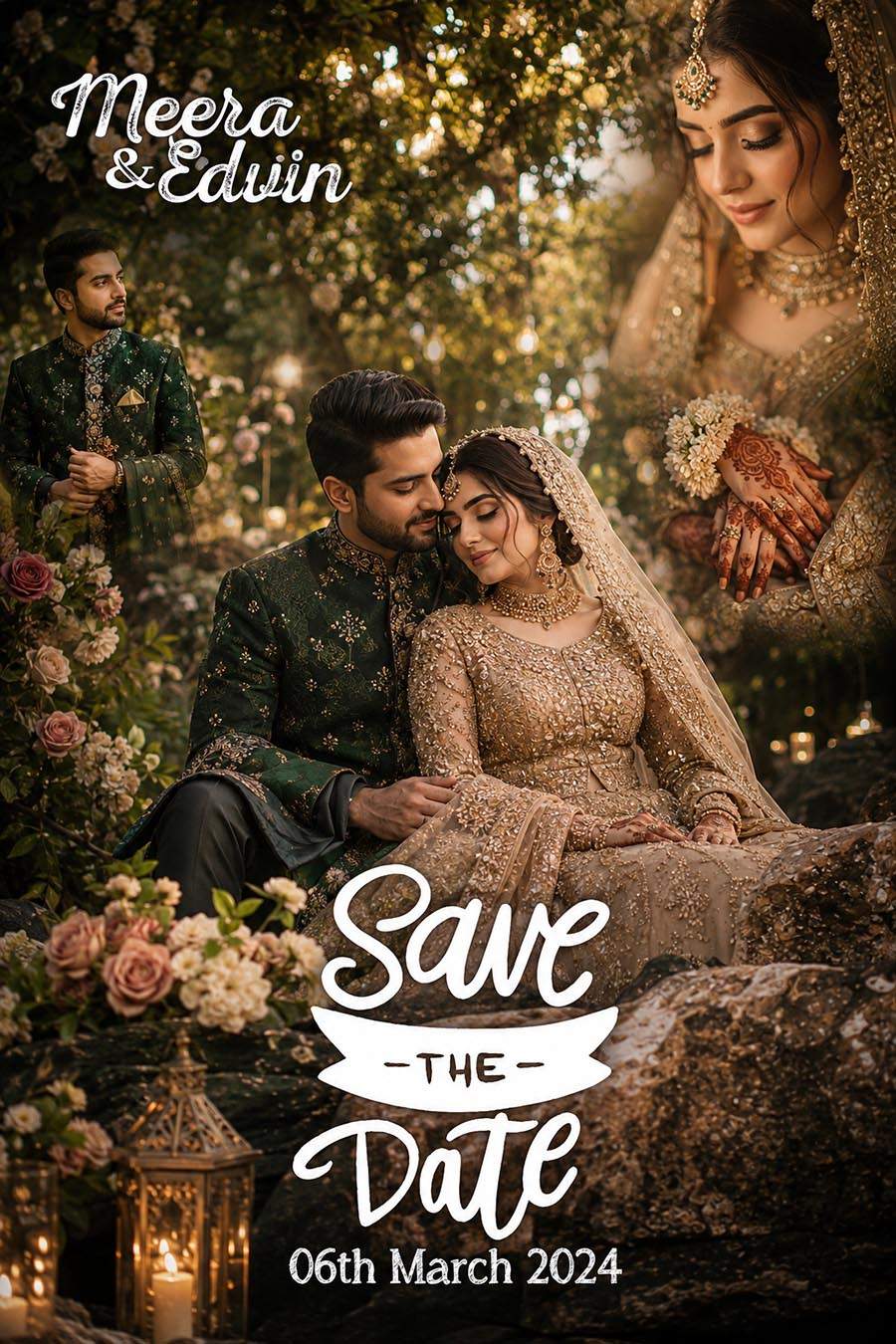
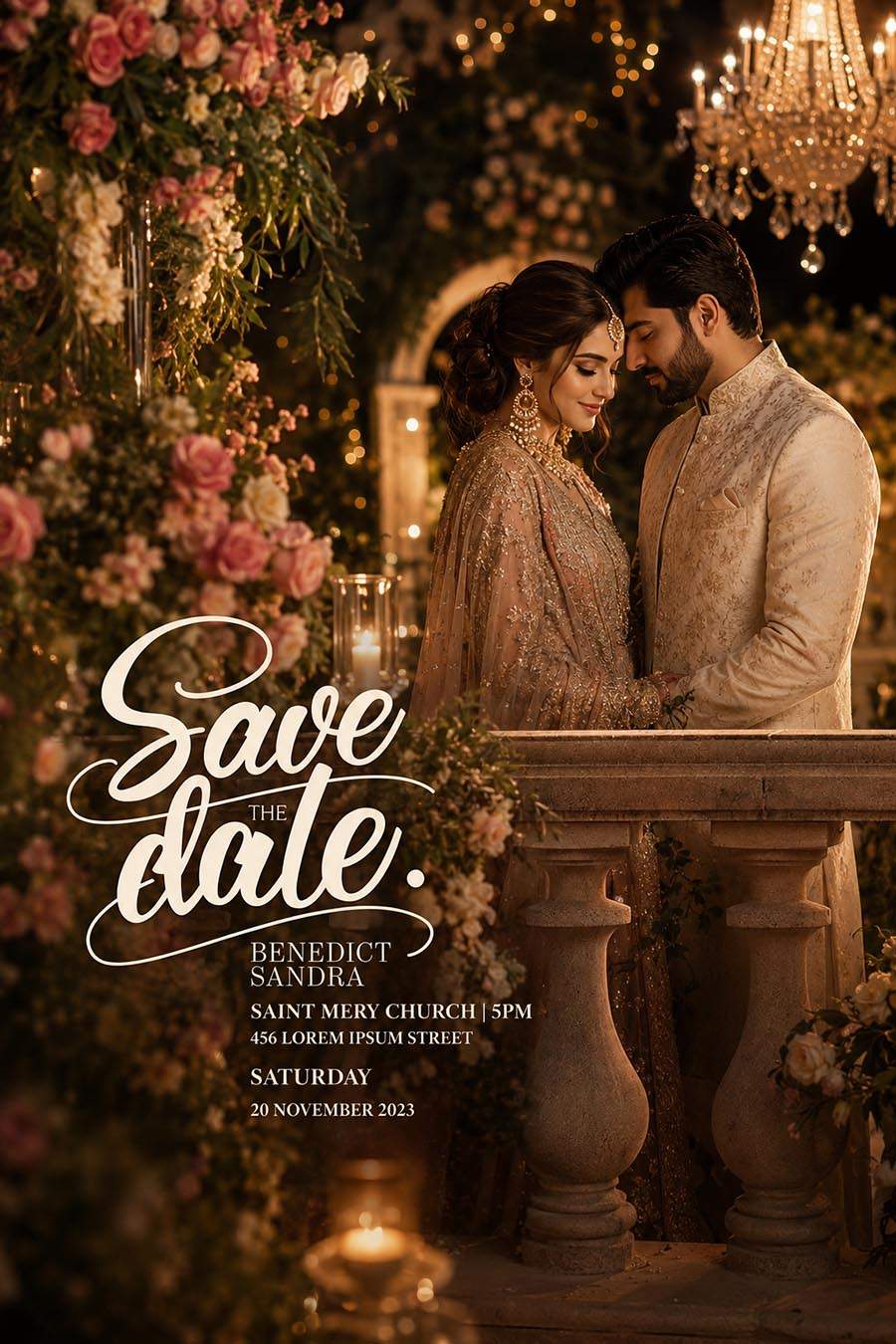
Download 12 Free Vertical Save the Date PSD Templates for Photoshop. This free PSD collection is useful for wedding photographers, invitation designers, Photoshop editors, graphic designers, and photo studios who create wedding date announcement designs for bride and groom clients.
This pack includes 12 editable vertical Save the Date PSD templates. These designs are made for Adobe Photoshop, so users can replace the sample photo, edit the couple name, update the wedding date, change text, adjust colors, and prepare a clean wedding announcement design for digital sharing or client preview. The files are provided with no password, which makes downloading and editing simple.
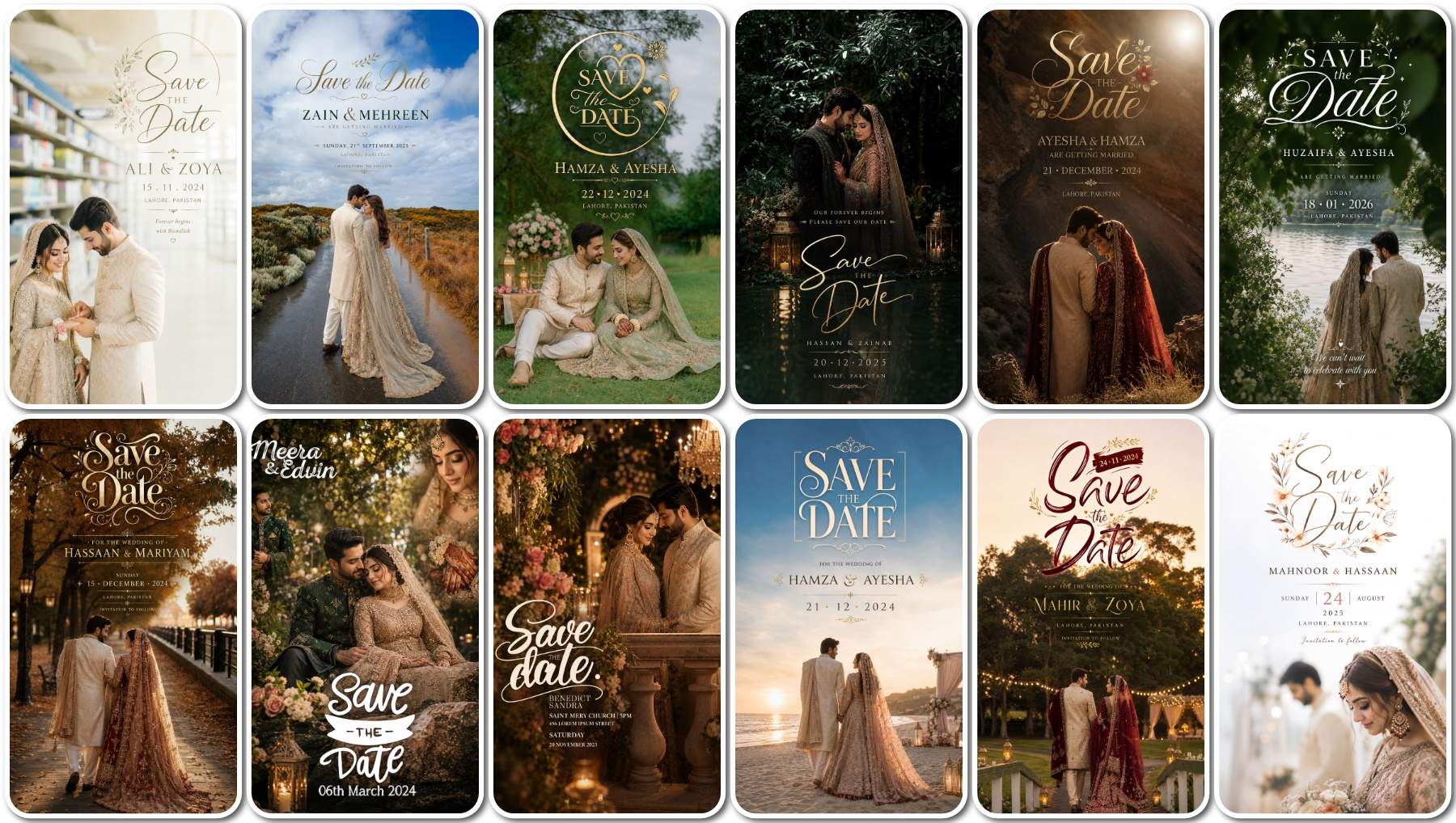
12 Free Vertical Save the Date PSD Templates Download
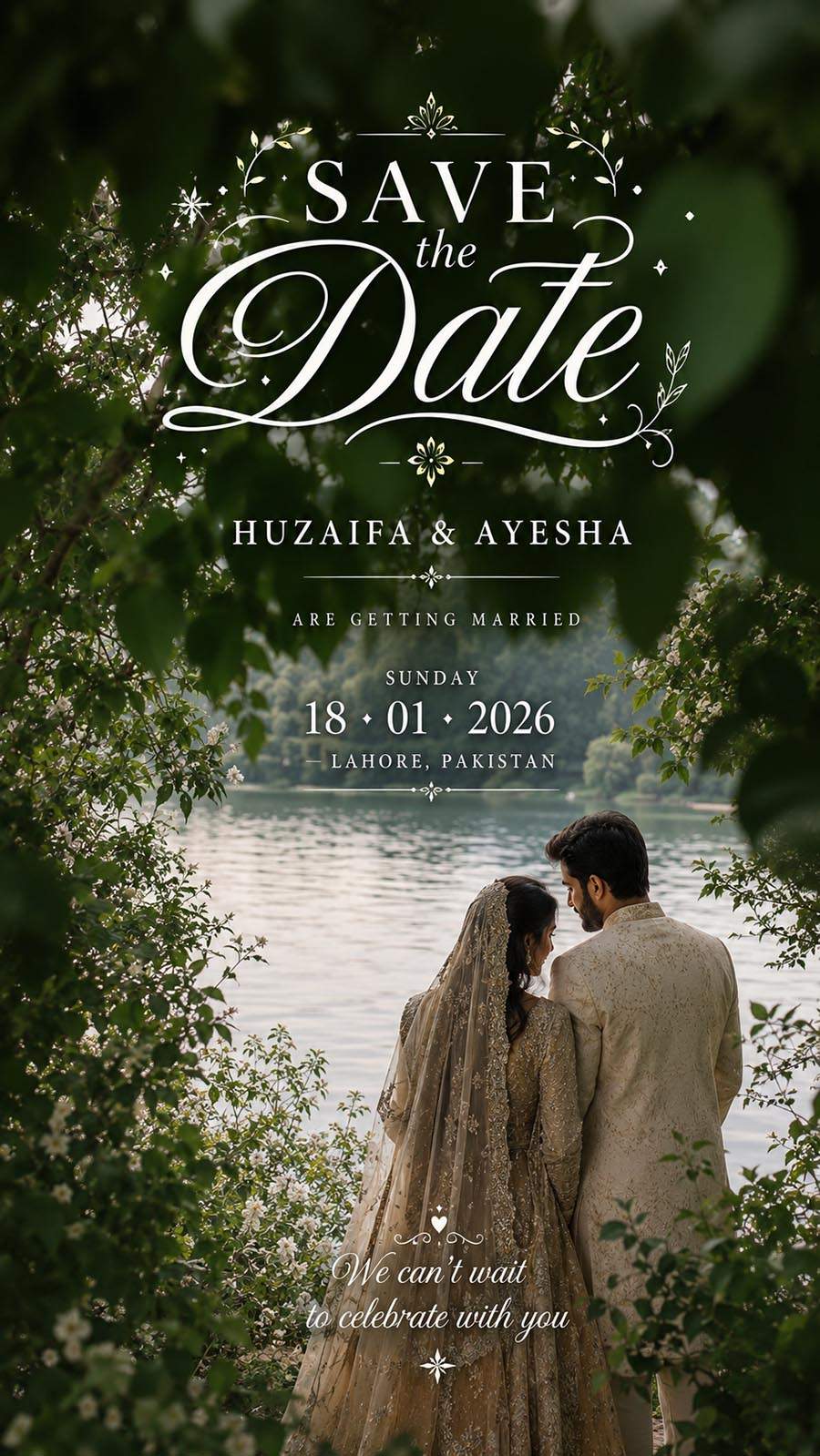
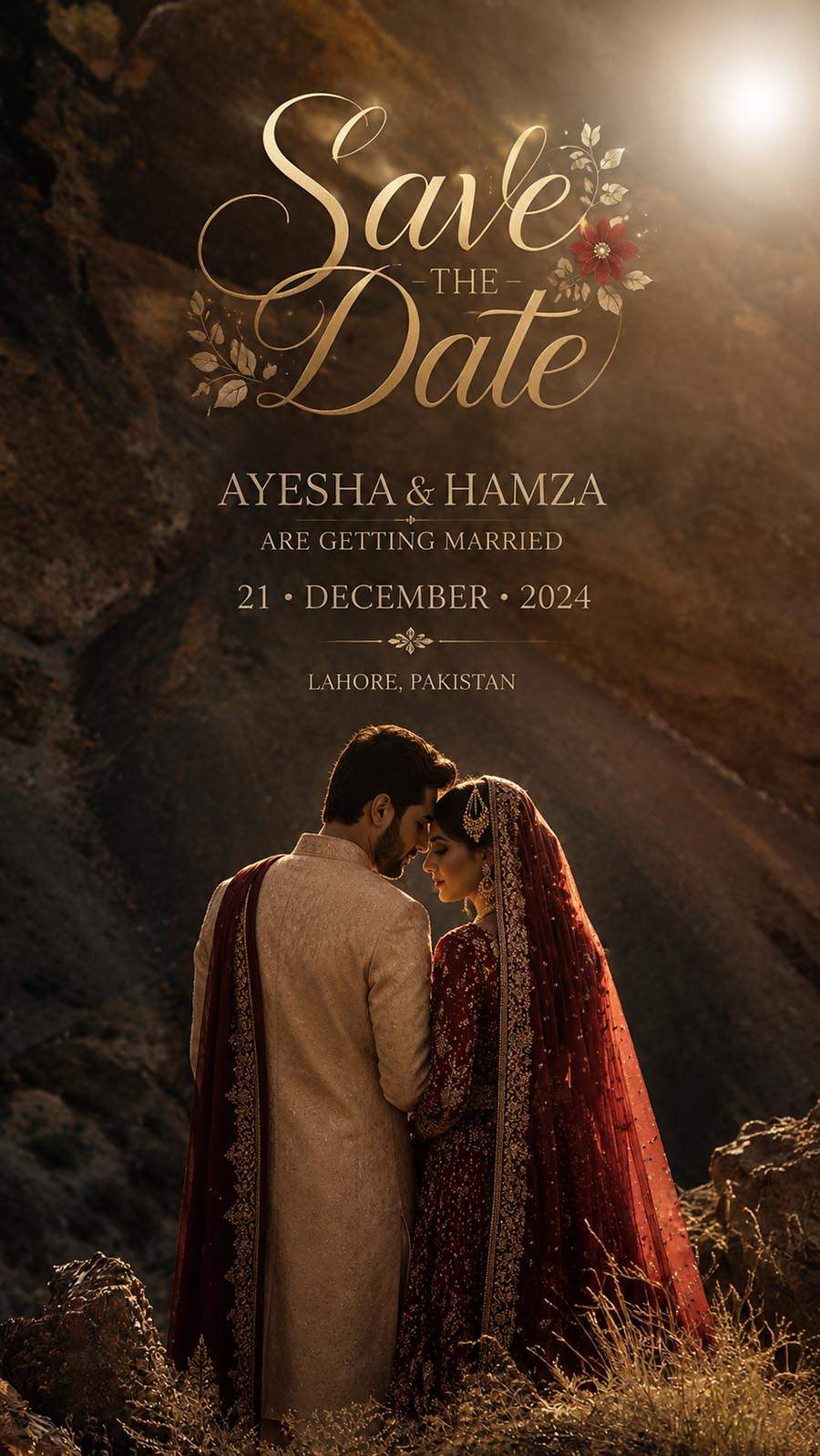
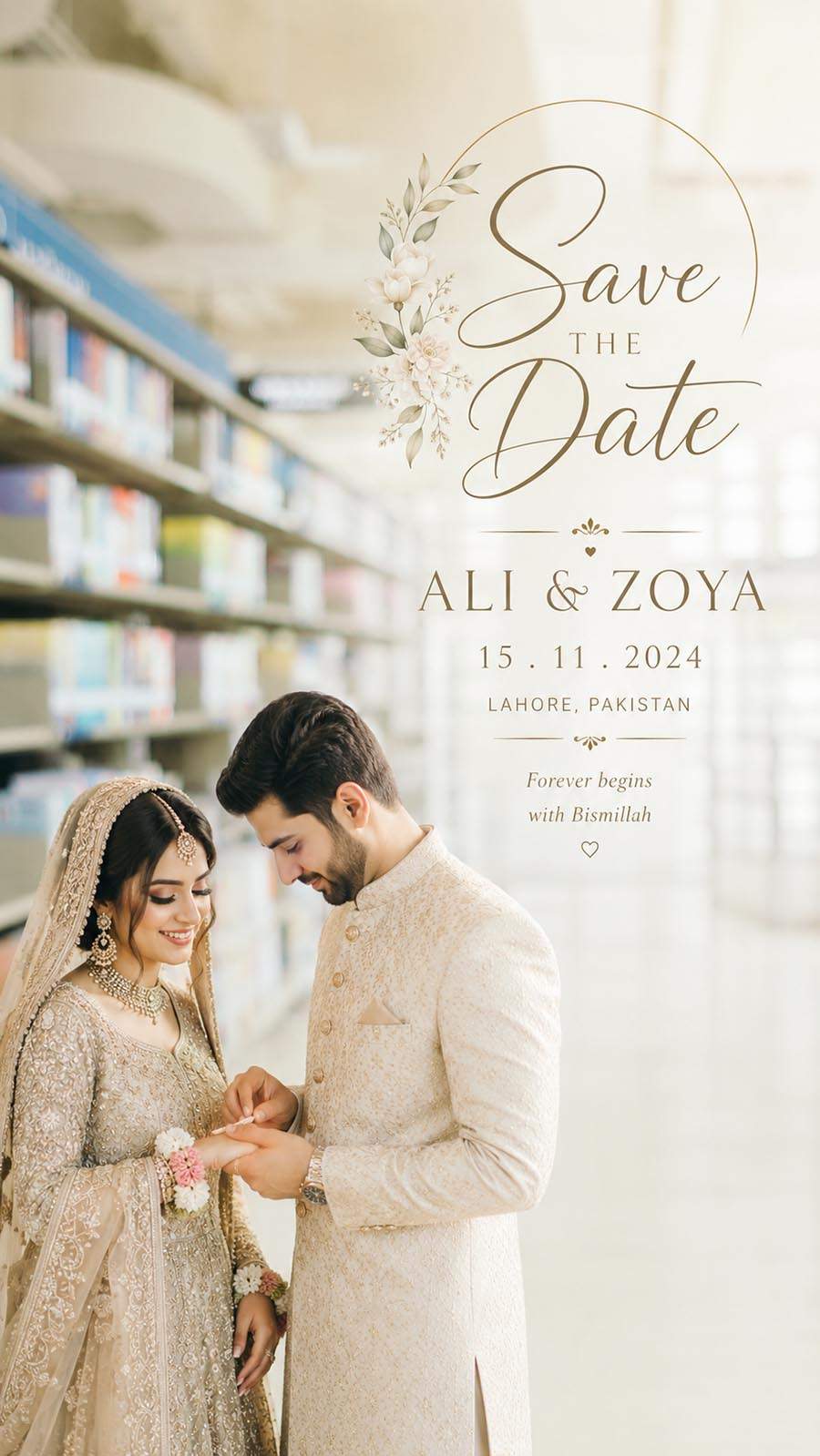
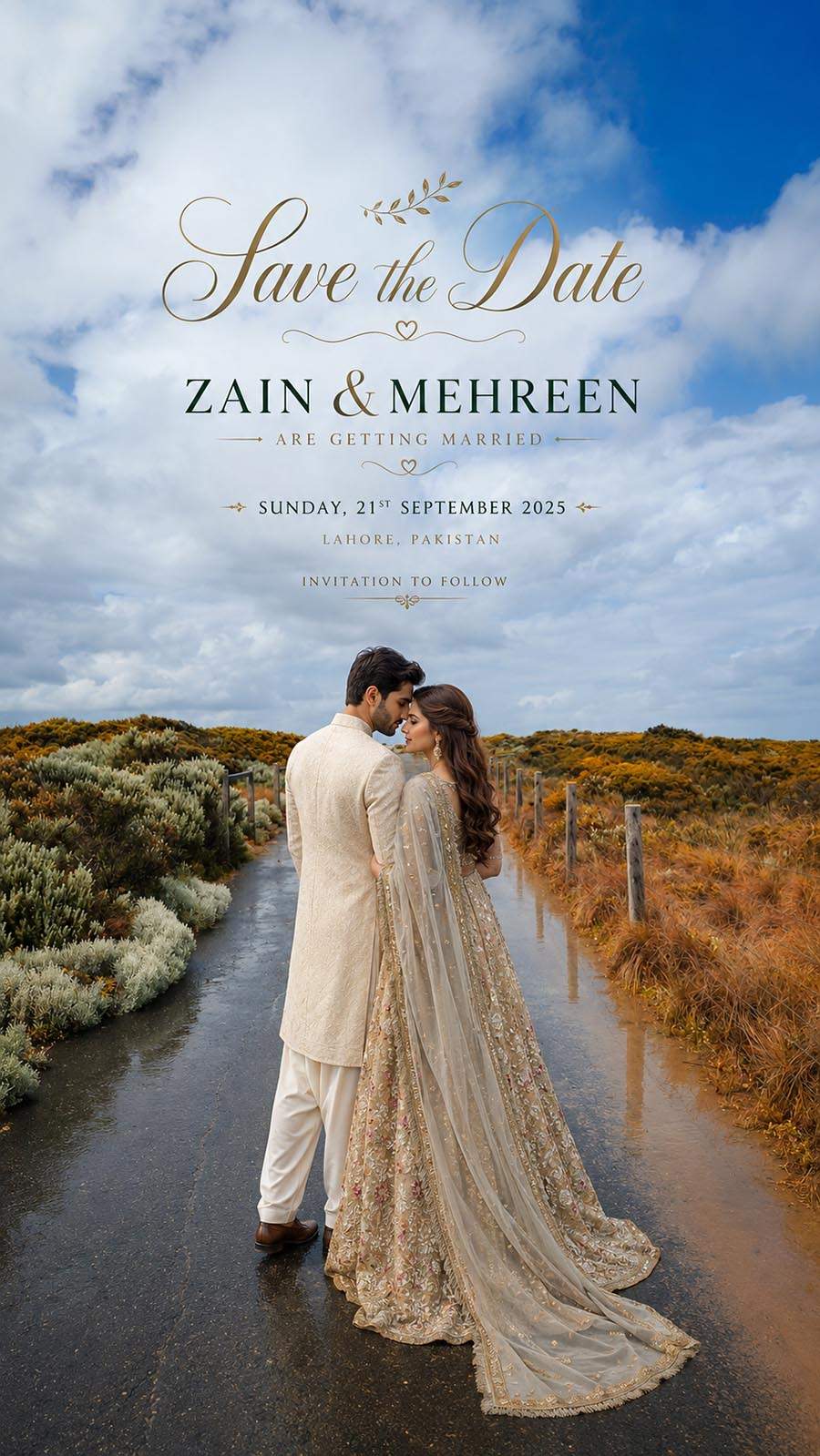
These Vertical Save the Date PSD Templates are created for wedding announcement work. A Save the Date design is usually shared before the final wedding invitation, so the layout should clearly show the couple photo, names, wedding date, and a simple message. These PSD templates give designers a ready-made base for creating vertical wedding announcement designs in Photoshop.
The vertical format is useful for mobile sharing, WhatsApp status, Instagram story, Facebook story, and digital invitation previews. Many clients prefer portrait-style designs because they look clean on mobile screens and are easy to share with family and friends. These PSD files can be customized for wedding, engagement, pre-wedding, and couple announcement projects.
All 12 PSD files are fully editable in Adobe Photoshop and come without password. After downloading, users can open the PSD file, add bride and groom photos, edit names, update the wedding date, adjust fonts, change background colors, and export the final design as JPG, PNG, or print-ready output. This makes the pack helpful for designers who regularly create wedding invitation PSD templates and Save the Date cards.
Why Vertical Save the Date PSD Designs Are Useful
Vertical Save the Date designs are practical because most people view wedding announcements on mobile phones. A portrait-style layout gives enough space for a couple photo, event date, names, and small decorative design elements without making the design look crowded.
For designers and photo studios, ready-made PSD templates save time. Instead of creating every wedding announcement from the beginning, you can open a template, add the client photo, update the text, and prepare a fresh design according to the wedding theme. This helps during busy wedding season when many clients need quick digital designs.
These templates can be used for pre-wedding shoots, engagement announcements, wedding date cards, couple invitation posts, and social media wedding updates. Since the PSD files are editable, you can adjust each design according to the couple’s photo style, dress color, and event theme.
How to Customize Save the Date PSD in Photoshop
You can edit these vertical Save the Date PSD templates in Adobe Photoshop. Follow these simple steps to prepare your final wedding announcement design:
- Download the PSD file from the download section below.
- Extract the file with WinRAR if the downloaded file is compressed.
- Open the PSD template in Adobe Photoshop.
- Replace the sample photo with a bride, groom, couple, engagement, or pre-wedding photo.
- Edit the couple name, wedding date, venue text, and title if included.
- Change background colors, fonts, frame style, and design elements if needed.
- Save the final design as JPG, PNG, or print-ready output.
Vertical Save the Date PSD Features
- Total Designs: 12 PSD Files
- Design Format: Vertical Save the Date Layout
- File Format: Editable PSD
- Software: Adobe Photoshop
- Password: No Password
- Design Type: Wedding Save the Date PSD Templates
- Best For: Wedding photographers, invitation designers, Photoshop editors, photo studios, and graphic designers
- Use: Wedding announcement, Save the Date card, engagement announcement, pre-wedding post, and social media sharing
- Editing Options: Photo replacement, name editing, date editing, text editing, color adjustment, and final export
Related Wedding PSD Resources
You can also explore more wedding invitation PSD templates for creating complete wedding card and announcement designs.
For couple-based layouts, check our bride and groom PSD templates and create matching wedding designs for clients.
If you need more editable files, visit our Photoshop templates section for different PSD resources.
You can also check more Save the Date PSD designs for wedding announcement and invitation work.
Download Free Vertical Save the Date PSD Files
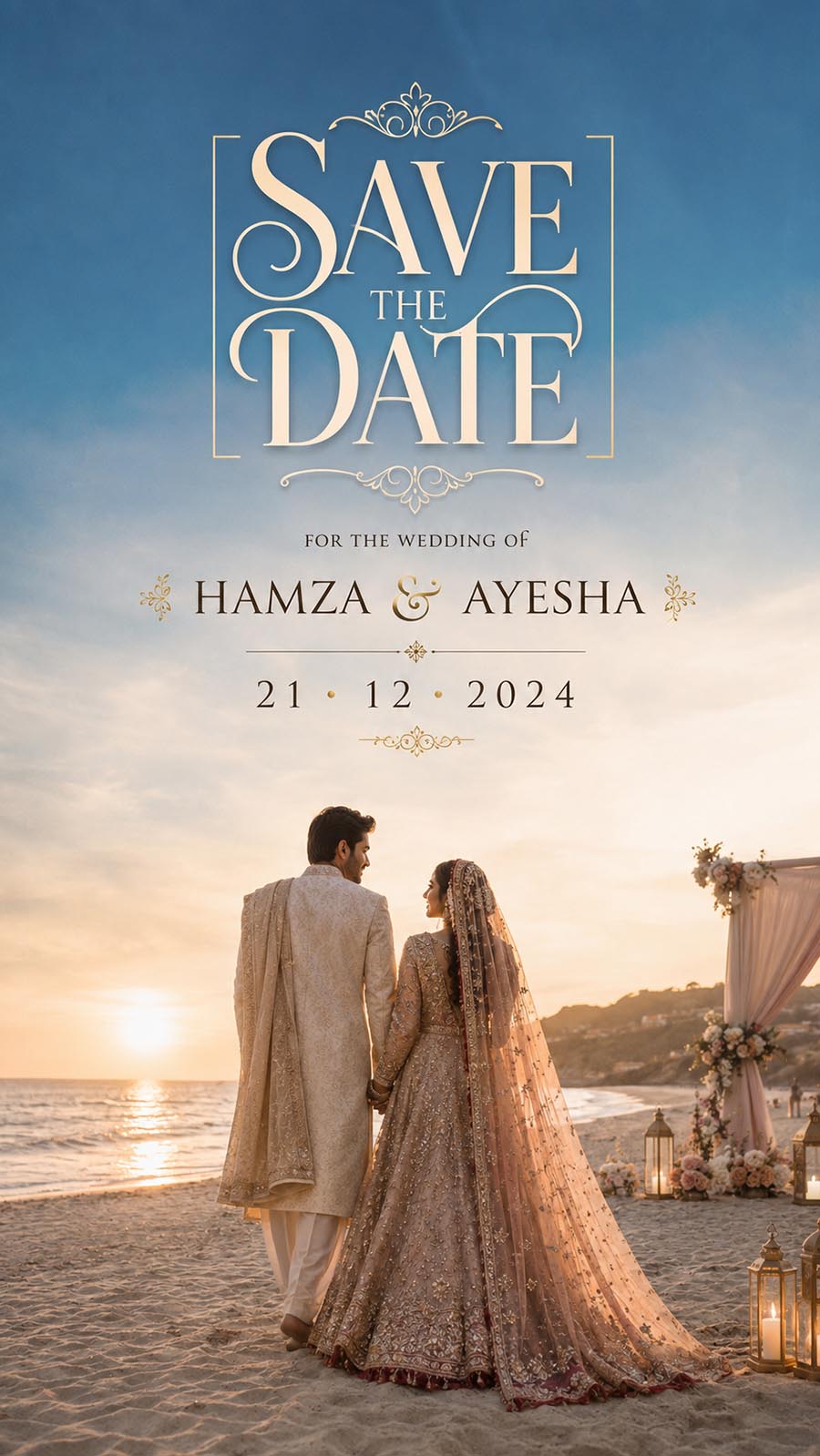
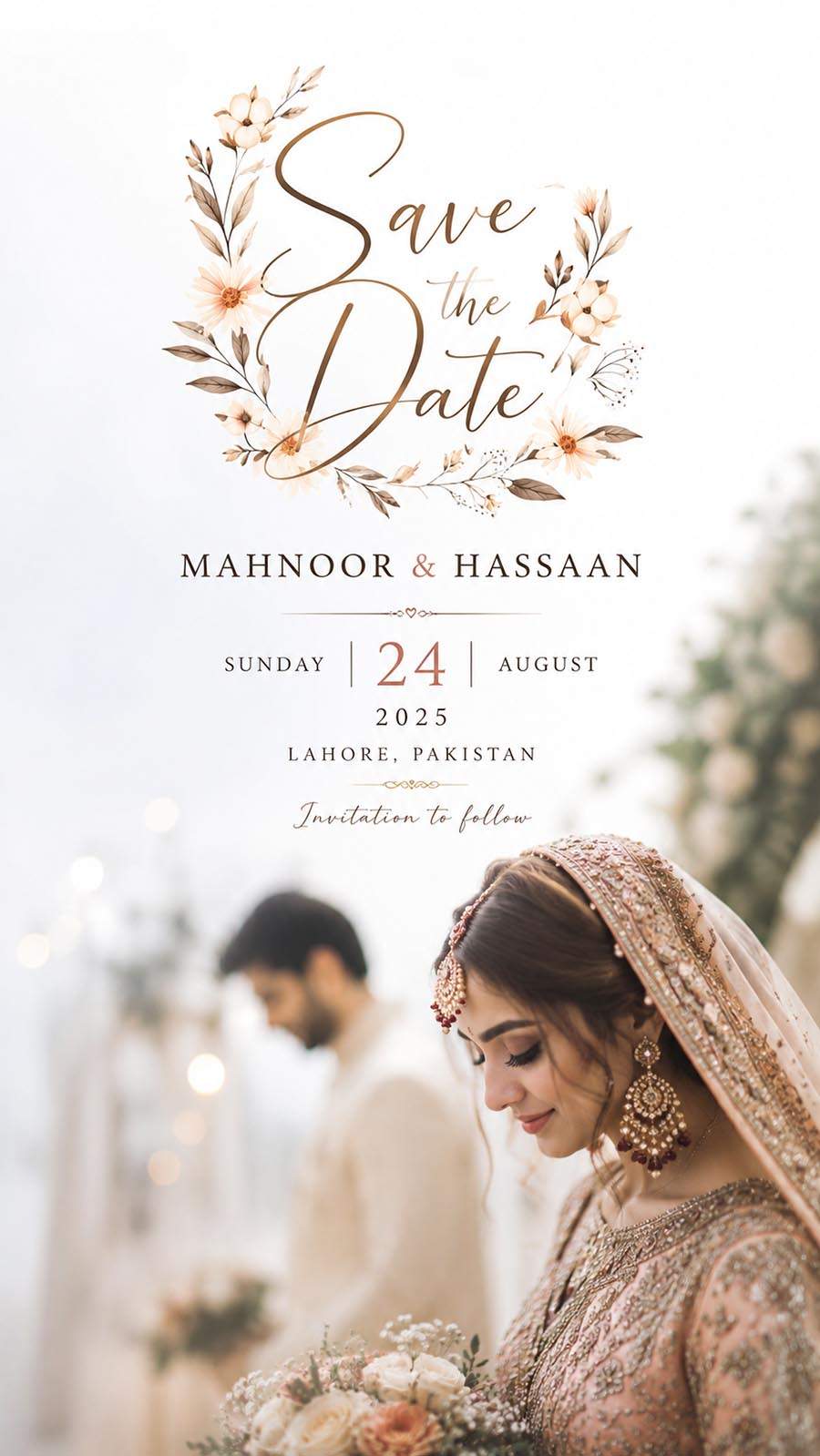
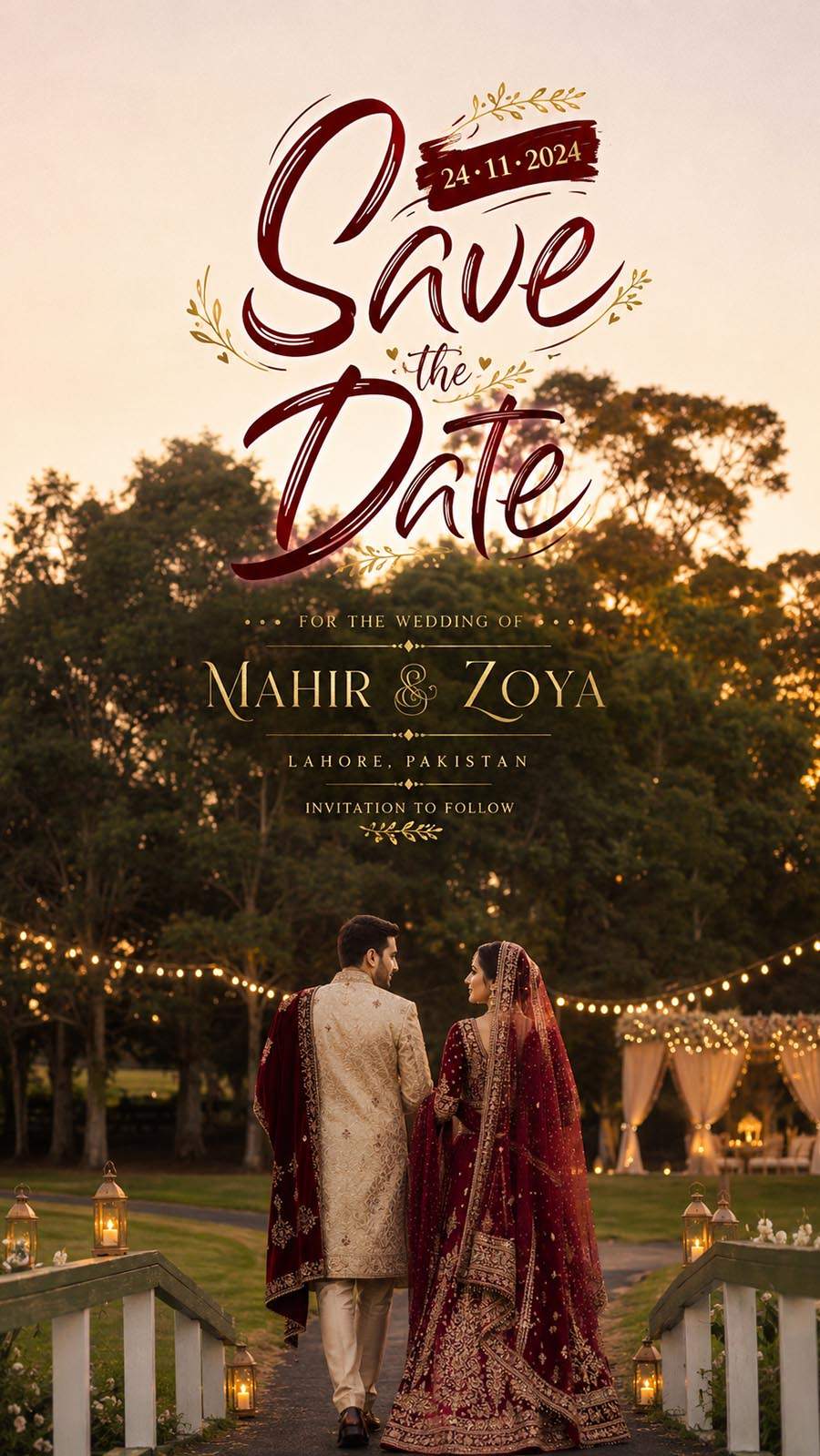
Scroll down and check each preview image before downloading. Add your preview image and download link under each PSD design so users can choose the vertical Save the Date template they want.
Frequently Asked Questions
Is this Vertical Save the Date PSD pack free?
Yes, this post provides 12 free vertical Save the Date PSD templates for Photoshop users.
Do these PSD files have a password?
No, these PSD files are provided without password.
Can I edit these Save the Date PSD templates in Photoshop?
Yes, you can edit photos, names, wedding date, text, colors, background, and design elements in Adobe Photoshop.
What is the best use of vertical Save the Date designs?
Vertical Save the Date designs are useful for WhatsApp status, Instagram stories, Facebook stories, mobile sharing, and digital wedding announcements.
Who can use these PSD templates?
These templates are useful for wedding photographers, invitation designers, Photoshop editors, photo studios, and graphic designers.
Can I use these designs for wedding clients?
Yes, you can customize these PSD files with client photos, names, and wedding details for Save the Date and announcement design work.
Conclusion
These 12 Free Vertical Save the Date PSD Templates are helpful for creating clean wedding announcement designs in Photoshop. The pack includes editable PSD files that can be customized with couple photos, names, wedding dates, and event details.
Download the free PSD files, edit them in Adobe Photoshop, and create vertical Save the Date designs for wedding clients, pre-wedding shoots, engagement announcements, and social media sharing.