
Clouds Stamp Brushes Vol.4 Free Download is a set of brushes for Photoshop that includes images of clouds. These brushes allow you to add clouds and sky effects to your designs and images. Using these brushes, you can create creative and realistic designs that convey the feeling of nature and sky to your images. Clouds Stamp brushes have images with different patterns and details of clouds. You can use these brushes to create a variety of sky effects, including night sky patterns, rain-filled clouds, colorful sunset clouds, and more. You Can Also Download A Bundle Of 600 Beautiful Watercolor Brush Strokes
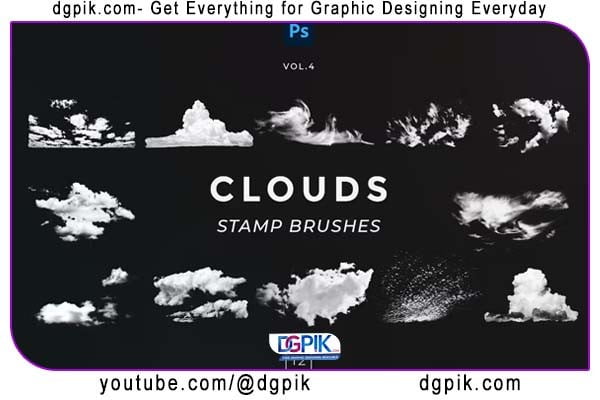 By controlling how these brushes are used, you can create different effects, including lighting and shading effects on clouds. This Photoshop brush collection is suitable for graphic designers, digital artists and photographers looking for a quick and easy way to add sky detail to their images. Using these brushes, you can complete your images in a more natural way and give them more visual appeal. This collection of brushes in ABR and JPG formats is available for download on the site, which you can add to your Photoshop to use them easily. By using these brushes, you can improve your creativity and edit your images in Photoshop You Can Also Download Epic Power And Elegant Gold Logo Reveal
What’s inside:
12 Stamp Cloud Brushes for Photoshop (.ABR)
Download the File Easily From the Download Link Given Below
Password is: dgpik.com
How to Load Brush in Photoshop
How to install Photoshop Brushes:
1. Open the Brushes panel in Photoshop by going to Window > Brushes.
2. Click the hamburger menu and select Get More Brushes…
3. Locate your desired brush pack.
4. Keep Photoshop open and double-click your brush pack file.
5. Your new brushes will now be installed in the Brushes panel for you to use.
How to customize Photoshop brushes:
1. Open the Brush Settings panel in Photoshop by going to Window > Brush Settings
2. Tweak the options to modify the brush.







